
Put your Mac to sleep. For real.
Is a video player or connected device keeping your Mac awake? Halcyon guides your Mac to sleep in stages, even when other apps try to prevent it.
 Mon 9:41
Halcyon
v1.0.1After 20 min idle
10 min after previous step
10 min after previous step
40 min until System sleep
Start screen saver
After idle: 20 min
Turn display off
After previous: 10 min
System sleep
After previous: 10 min
Why your Mac won't sleep
When an app sends a sleep-prevention signal, macOS ignores its own sleep timer. You step away thinking the display will turn off on its own, but the screen stays glaringly bright. Burn-in, wasted power, and a security risk all at once.
Video players
Pausing YouTube or Netflix may not be enough. An open tab can still prevent sleep.
Peripherals
An external display or drive can signal macOS to suppress sleep.
Backup & sync
Time Machine or third-party sync tools running in the background can block sleep.
Security risk
No sleep = no lock. An unattended screen is exposed to prying eyes and unauthorized access.
Sleep block detected
Cause: Audio playback
System sleep is being blocked
Sleep block detected
Cause: Google Chrome
Display sleep is being blocked
Halcyon steps in
Ignores the blocker and starts the sleep sequence
A gradual, step-by-step transition
Step away. Halcyon handles the rest.
Once your Mac has been idle for the time you set, Halcyon walks it through three steps. The moment you touch your mouse or keyboard, it stops immediately, so it never gets in your way.
Screen saver
Locks the screen first to protect it from prying eyes. Background processes keep running.
Display off
Turns off the display to help prevent burn-in and reduce power use.
System sleep
Puts the system to sleep, overriding apps that try to block it.
Simple by design
Click the menu bar icon to set up your sleep sequence. That's all it takes.

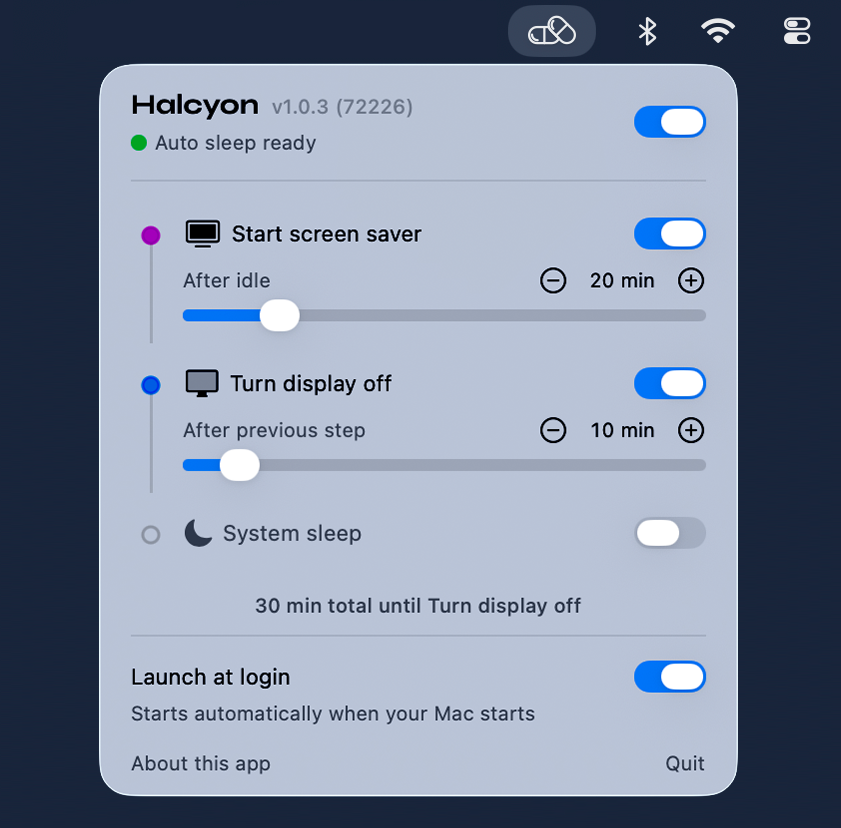
One-click on/off
Watching a movie or listening to music? Flip the switch to pause the entire sequence with one click.
Menu bar app
Lives quietly in the menu bar without appearing in the Dock. One click opens the settings.
Per-step control
Each of the three actions has its own on/off toggle and wait time. Skip any step you don't need.